Showing posts with label Notion Ink Adam. Show all posts

Sunday, June 5, 2011

The Question of Eden on Honeycomb (Reposted)


(An opinion of how the Adam's future should look written in February. With Honeycomb coming in less than a month, I thought it could serve as somewhat of a prediction and possibly a guide of what we want to see for the Notion Ink devs.)     
     In Rohan's latest blog post he made a quick statement saying that the Eden apps have been ported to Honeycomb. We all know that the Adam is eventually getting an update to Honeycomb. It may be weeks or months before Notion Ink finalizes the update for us. The Adam will be absolutely awesome with Honeycomb on it, but the question is how much of the Eden UI will be thrown on top of Honeycomb?
     As you can see in the picture above, vanilla Honeycomb even looks good on the Adam. There's no telling how far into the core the Eden UI will dig, but this is most likely not what the final product will end up looking like. Unlike previous versions of Android, it is very hard to put a custom UI over the top of Honeycomb without completely destroying it. This is a good thing, because I generally hate the custom skins they throw on top on Android.
   
     Way back in December Android Police had an interview with sir Rohan of Notion Ink. When asked if Eden would be preserved with Honeycomb, he said yes. In that same interview Rohan also said he would bring the Android Market with the Honeycomb update. (I'm still crossing my fingers in hope on the Market.) A lot has changed since December and Notion Ink's design team could have very well changed their minds on the Eden thing.

     Honeycomb could definitely benefit from the panels concept of multitasking (see this column). They have made Froyo into something that is truly tablet worthy. That required a lot of work and deep digging into the source code. The problem could be that Eden is built totally around a smartphone OS, and cannot be reworked too well with a tablet OS. In Eden they have replaced the normal multitasking interface with a panel switcher that is completely useless with the multitude of apps that do not have panels. In Honeycomb, the app switching has been moved to a soft button in the status bar area. What I'm saying is that some things simply can't get carried over to Honeycomb.

     Honeycomb is very widget heavy, and if Eden completely annihilates the home screen like they do in the current version, it could be a very low point of Eden. The home screen needs to stay. They could possibly throw a dedicated panel button in the navigation bar at the bottom to bring up the panel view. That brings e to my next point. Notion Ink has managed to add a hiding feature to the Froyo status bar so it will be out of site unless it is truly necessary. Rohan said that tablets shouldn't always have a status bar to take up screen real-estate. This idea is going to go out of the windows if they want a feasible Honeycomb design. The always there navigation bar is another high point in Honeycomb, and to get rid of it would just not work.

     Coming back to the panels idea now. If they added an extra button in the navigation bar to open the panels, it would be absolutely fantastic. I'm not saying that it should replace the recent apps button, but it would do nicely in the adjacent space. It would be there at all times to quickly start your multitasking duties. The best part about having a dedicated panels button is that the home screen will remain intact. I can't stress enough how important it is to keep the home screen intact.

     There is no doubt that Honeycomb can get better with a sprinkling of Eden on top, but a smattering would be all too much. Honeycomb needs little improving as it is, so too much wouldn't jive very well with a lot of people (me included). I suppose if Eden angers you too much you could always get a different tablet or a custom ROM. Let me know your thoughts in the comments below and the pool on the right.

Monday, May 30, 2011

Notion Ink Adam Eden 1.5 Review

     This is the review that I wanted to do when I first got my Adam. I was hoping that everyone was wrong and Eden was fantastic. I was proven very wrong, and had to write a bad review on a device that had a lot of potential. Four months have passed since then, and the tablet market has exploded since that time. Eden has improved a lot with this iteration. Is it enough? Find out after the break.
     A lot of emphasis has been put into managing tasks in this update. Everywhere you turn, there is an option to kill a process or clean something up. It may seem like overkill (get it?), but it really is useful. In the home button long press menu (HBLPM for short) you have a mini panel that shows how much RAM, CPU, memory, etc. you are using at the time. Also included in the HBLPM is the option to clear all panels or kill all processes.
     Let's talk about panels for a minute. They are finally worth using. There is very little lag in all of the animations and movements of the homescreen panels. There are a few more useful apps to utilize them now. They have made opening a full app or closing a panel much easier by putting both options at the top of each panel. Before those options were hidden in the menu key. Panels have been made much easier to manage as well. In the HBLPM you can scroll through all of your open panels and clear them as you please. If you so desire, you can also add apps into panel view from the HBLPM by dragging them from the bottom list of apps, or so I thought, as this action cause the process homescreen to force close nearly every time.
HBLPM
          In both of the app drawers (on the home screen and in the HBLPM) the apps the have an active process have a box around them to let you know that they are indeed working. Something that I found a little alarming is that the RAM meter you can see above is almost always full. This could be because it's limiting the amount of usable RAM, or it could be because Eden is a memory hog.
     Performance got a huge leap in this update. The quadrant score is about the same as before, but everything is so smooth now. It's amazing the amount of difference this makes in the user experience. There are also far less random crashes. They still occur, and since I've only been using this today, they could be more frequent than I know about. Still it's nice that I can actually do a little work on the tablet without fear of losing it all the next second.
   
     The browser is a little bit of a different story, but don't worry because it's a good one. What the browser gain in functionality, it lost in aesthetics. The side bar has been enlarged and given and odd blue and gray color scheme. It's almost like you are using some sort of accessibility magnification. The address bar has been moved to the bottom and much improved. It works like it should now. Tab switching doesn't cause the the browser to force close anymore (Thank Goodness!). I didn't have the chance to test flash, which is something I should point out. Flash was supposed to come bundled with this update, and it simply didn't.
          Chords is excellent (yes, that is proper grammar). There really isn't much more to say than that. I did have a not responding problem with it once, but a quick process kill took care of it. For some reason they left the stock android music app for you to gripe at. At least you can see how good you have it now.

     The alpha panel has received a few more options to control your Adam. Added is the new ToDO list app. With that they removed some space for the recent apps. The space is more than made for in the HBLPM. You know the HBLPM? It's practically like another home screen, or mission control if you prefer. A tap on the clock no longer show you a list of all of your apps, and unless I'm missing something, that option is gone entirely. A long press on the launcher button brings down the list of apps. Each app that has an active process is boxed here as well.
Wrap-up
      This is what the Adam should have been back in January. Is it perfect? No. It is still missing one crucial feature. The Android Market isn't there. It isn't Honeycomb. It is more of a place filler; a drink of water to calm the hunger pangs if you will. Is it better? Much. This is a vast improvement over the old broken Eden. Most importantly, it is now usable. It may be great, but it isn't enough to keep me away from other Honeycomb tablets. We'll have to see what the June 27th slated Honeycomb update brings.
 

Saturday, May 28, 2011

Notion Ink Adam Eden Update Landing Monday, Gingerbread Wednesday

     Adam owners will finally be able to taste sweet Gingerbread on Monday Wednesday with the release of Eden 1.5. Aside from Gingerbread, the update is suppose to bring several UI enhancements that hopefully make the interface a little bit more user friendly. Also onboard are many news apps such as the long-awaited weather app and Dolphin Browser HD. Another update is slotted for Wednesday with an unspecified changelog. Keep hitting those update buttons people!
     I apologize for misinforming the lucky people that read this article. The Gingerbread update is landing Wednesday, and the Major update to Eden 1.5 is landing Monday. The new Eden will bring many new features including a new look, supposedly enhanced usability (I'm skeptical), and many new apps. Let's hope for the best, and keep hitting those update buttons tomorrow. I'll post a review for you as soon as I can.

Tuesday, May 24, 2011

Why I Kept My Adam

     The sound of crickets has been floating around here as of late. Everyone involved has gone silent. Many people have just up and left in the order of selling their Adams. I don't blame them. I'm getting tired of waiting for that fabled usability approving Gingerbread update too. That doesn't mean I'm going to sell my Adam to some unsuspecting patron. I have many good reasons to stay.
     The Adam is a great device when it comes to the hardware. The only things that bring it down are the thickness and the terrible screen. The camera could be considered a downfall as well, but I'll leave it be. The problem is in the software. It's terrible. Notion Ink hasn't update it to the (supposedly) more user friendly version yet. Many people have ditched the Adam because they got sick of waiting.
     
     I know the user experience can be good because mine runs Honeycomb. The alpha version isn't as smooth as I would like it to be, but it gives me hope. Hope that one day Google will release the source code on something to give power to the Adam. If I have to wait for Ice Cream Sandwich I will. I trust Notion Ink to give us the updates we deserve.

     Even if they completely ruin Honeycomb with the Eden overlay, I have ROMs to fall back on. Why do I still have my Adam? Software can be fixed. It was cheap. Tegra II. Trust in Notion Ink.

Friday, May 13, 2011

Notion Ink Adam ROM Review: Honeycomb Alpha (v. 11)

     This is, without a doubt, the best ROM available. I don't need to tell you about Honeycomb. If you must see the details about Honeycomb, here is a guide. How well does it run on the Adam? Pretty darn good. What makes it so good? Find out after the break.
     This is a very stable build for being an alpha version. You still get the small amount of force closes that you would expect from anything running android, but nothing major has happened yet. This is to be expected since this is actually a fully baked build on Honeycomb ripped from the Asus Eeepad Transformer. The devs have done a nice job of pulling out all signs of Asus. What you are left with is completely stock Honeycomb, and all of its goodness.

     On any and all 2.2 based ROMs, the touch screen felt a little unresponsive, which generally ruined the user experience for me. It wasn't terrible, but it was certainly worse than the XOOM or iPad. It may be the beautification of the UI, the tablet specific sizes, or a complete placebo, but the user experience shot through the roof with this ROM. Everything is perfectly snappy. It isn't quite as snappy as the XOOM, with a little snag here and there. You won't be disappointed.

     Eden notifications leave a lot to be desired with that tiny exclamation point up in the corner. The status bar hiding trick that Notion Ink employed worked to make status bar visible in all apps, but it is still out of the way. Notifications are on the right of the always present status/navbar. A click on the clock brings up quick settings and your notifications. On a side note, the dark glow that accompanies the clock pop-up is offset two inches to the left. Aside from the small glitch, it is really handy.

     Two shining features of Honeycomb over the Eden UI are the keyboard and the browser. The browser feels like you are using a small version of Chrome. Zooming and scrolling are both smooth. Bookmarks sync without worry. The only complaint I have (a common complaint across the web) is the rendering of webpages to the mobile versions. I'm not using a smartphone, and I don't wanted to be treated as such. Luckily you can just go into the debug setting to change the user agent string to desktop, or iPad, or whatever the heck you want.

     The Notion Ink keyboard is great isn't? I'm never going back to it after using the 3.0 offering. It's just better.

    This is now the ROM, and it will stay that way until Notion Ink gets their hands on some source code. With Honeycomb, the Adam can actually complete with other tablets. I finally like Adam over the iPad. Honeycomb bridges the gap between glossy, functional, and open. The best of all three, and it's now available for your enjoyment on the Notion Ink Adam.

Friday, May 6, 2011

Dolphin Browser HD to Come Bundled with Adam

     Notion Ink is getting its fingers into many pies lately. They have announced today that they have made a deal with the makers of Dolphin Browser to include their phenomenal web browser in the upcoming update. Oddly, Dolphin Browser HD is completly incompatible with the Adam right now. It is even blocked on the Market (using Edenx). Better yet, the update has a timeline set for release in the "third week of this month". Around the same time, the Adam will be available for general sale.

Thursday, May 5, 2011

Kindle on Adam!

     No, I haven't gone crazy with the exclamation points today. Rohan announced late last night (sometime around noon in India) that Notion Ink is collaborating with Amazon to bring the Kindle Books app on the Adam. This is likely to come in the next update. This is very exciting especially considering their isn't a pre-installed book app to enjoy your Pixel Qi with. The next question is the possible future inclusion of the Amazon Appstore on the Adam.

Breaking: Honeycomb on Adam (Update)

     I have great news for you folks! Mr. Guy, the same guy to bring you the Pixel Qi toggle app, has now booted Honeycomb on the Adam. It is in very early stages, but it is booted, and that we can build upon. Now it's your turn devs. Take this pice of work to make an awesome ROM complete with NI apps. We are waiting.
     As you can see in the video below, it is still pre-alpha, but it is on its way. This particular ROM appears to be from the EeePad Transformer. The original post can be found here. The devs at TabletROMs.com re doing good!
(Update)
Help make the ROM stable to get a piece of the bounty. You will be rewarded for your dev efforts. How can you lose? See: http://tabletroms.com/forums/content.php?4-Stabilize-the-HC-Rom

Saturday, April 30, 2011

Completly Updated Eden Coming to Adam

     We have had light shed upon us this morning in the the latest Notion Ink blog post. The major update that was barely mentioned in the last post got a list of details to go with the images today. The details show that this really is a major update instead of a design change.

The biggest bullet of the list is the core OS. The Adam will get Gingerbread after all. The delay on Honeycomb made them change their minds most likely. Eden needed a lot of improvement and Honeycomb isn't available as grounds for such improvement. The kernel is also getting a nice revamp for you developers out there. To give you ROM developers a nod, the link for the kernel source was thrown up on the blog post at the very top.

Another amazing bullet point is the addition of an overclocked Tegra processor. This could be taken many ways as it is listed as "optimally overclocked". That could just mean that it isn't downclocked by Eden anymore.

Many software additions and changes will take place. Many such additions include chords for music, the weather app, books, and flash pre-installed (sorry, no genesis). Rohan makes mentioned of a completly different browser, which would be nice considering the Eden browser that I'm typing this post on is very half-baked. Take a gander at the full post here .

Thursday, April 28, 2011

Notion Ink Adam ROM Review: Cyanogen Mod 7 (Beta1)

     Cyanogen Mod is probably the most popular Android ROM of all time, and it is now making its way to the Adam. Also included is the Honeycomb mimicking Tablet Tweaks plugin (also beta). I say making its way because it is still in beta. I had a minimal amount of problems with stability, but I recommend waiting as this won't be your daily donut. Find out how the popular ROM runs on a not-so-standard tablet.
     If you hate everything about Eden, even the apps, then this is definitely the ROM for you. All traces of Notion Ink have been wiped clean. This could be a good thing for some users, but not this guy. Couldn't they at least give us the NI keyboard? The purpose of CM7 is to give a vanilla Gingerbread experience, but oddly the stock Android launcher is MIA, instead giving you ADW and VTL to pick from.

     As with a few other ROMs, you are given toggles for things like switching the SD cards or turning off cell standby. To do so, you are given the horrible  not very intuitive Adam toggles app. All the app is is a screen with four buttons for the four toggles. No visual indication that the toggle worked, no prompting to restart, just four buttons.

     Tablet Tweaks was suppose to give a Honeycomb-like feel to the overall experience. It doesn't. All you really get is a fat status bar with three navigation buttons that hardly ever goes away. Oh, and you can move it to the bottom of the screen if so desired. It's a nice idea, but it doesn't really add anything to the user experience.

     There you have it. A brief review of a very popular ROM that almost doesn't need a review. For a complete list of features that CM will give you, go to their website. Right now, it isn't ready for the Adam. One major problem I had was the lack of a lockscreen which would probably be fixed by a simple data wipe. This ROM gets a 3/10 in its current form. The reason? A complete lack of anything Notion Ink.

Engadget Reviews Notion Ink Adam

     All I can say is finally! We (or I at least) have been waiting for a professional review of the Adam since it came out. Since all orders were shipped a while back, it's hard to tell what took them so long. They had some interesting things to say about the tablet. Most of them were bad, but they were also true. They main target of the negativity was, of course, the software and the screen. What else did they say? Read on.
     The Adam only did good enough to deserve a lousy 3 out of 10 rating from the big shots. The software was called upon repeatedly for being slow and buggy. They even went as far as calling it "beta at best". Not a goos sign. They seemed particularly proud of their discovery of a way to make the browser crash on command (multiple taps on the tab wheel). The panels got a nice little overview as to how they worked and such. A small item they touched on was the lack of responsiveness from the capacitive digitizer. It was blamed on the screen protector, but as I found out the screen protector has nothing to do with the lack of touch sensitivity, it is just another one of the tablet's quirks. Oddly, no mention was made about the low wifi signal.

     Engadget did have a couple of good thing to say about Notion Ink's baby. The ports... lots and lots of ports to fill your nerdy heart with joy. It use a "unique" design and an awesome sun-readable display. That was about it on the good side.

     Like everyone that has an Adam knows, the viewing angles are awful, the camera is funky at best, and the software is just bad out of the box. Engadget just reaffirmed what we already knew, but it's nice to hear from the pros. You know Notion Ink didn't do terribly great with their first product when Engadget calls it a prototype running beta software. Get the full review here: http://www.engadget.com/2011/04/27/notion-ink-adam-review/

Saturday, April 16, 2011

The Future Looks Bright!

     Many moons ago Rohan mentioned a major update coming in the future for our beloved Adams. Today we see the first signs of the upgrade. While he doesn't into much detail about the software itself, he does provide four lovely screen shots of a completely revamped Eden UI. Along with a completely different style, the status bar seems to be making a come back. All of those apps we have been missing such as Weather, Books, and Eden (appears to be called chords in the preview) will be making an appearance as well.

The full post, found here, is entitled "Closer to the Blue". One can only guess that blue means Honeycomb. Major updates to Eden like this are enough to keep most of us happy until the big blue drops. We'll see if function lives up to form when the update drops "soon". We will be waiting eagerly.

Friday, April 15, 2011

Notion Ink Adam Bug Report: Apple Headhones

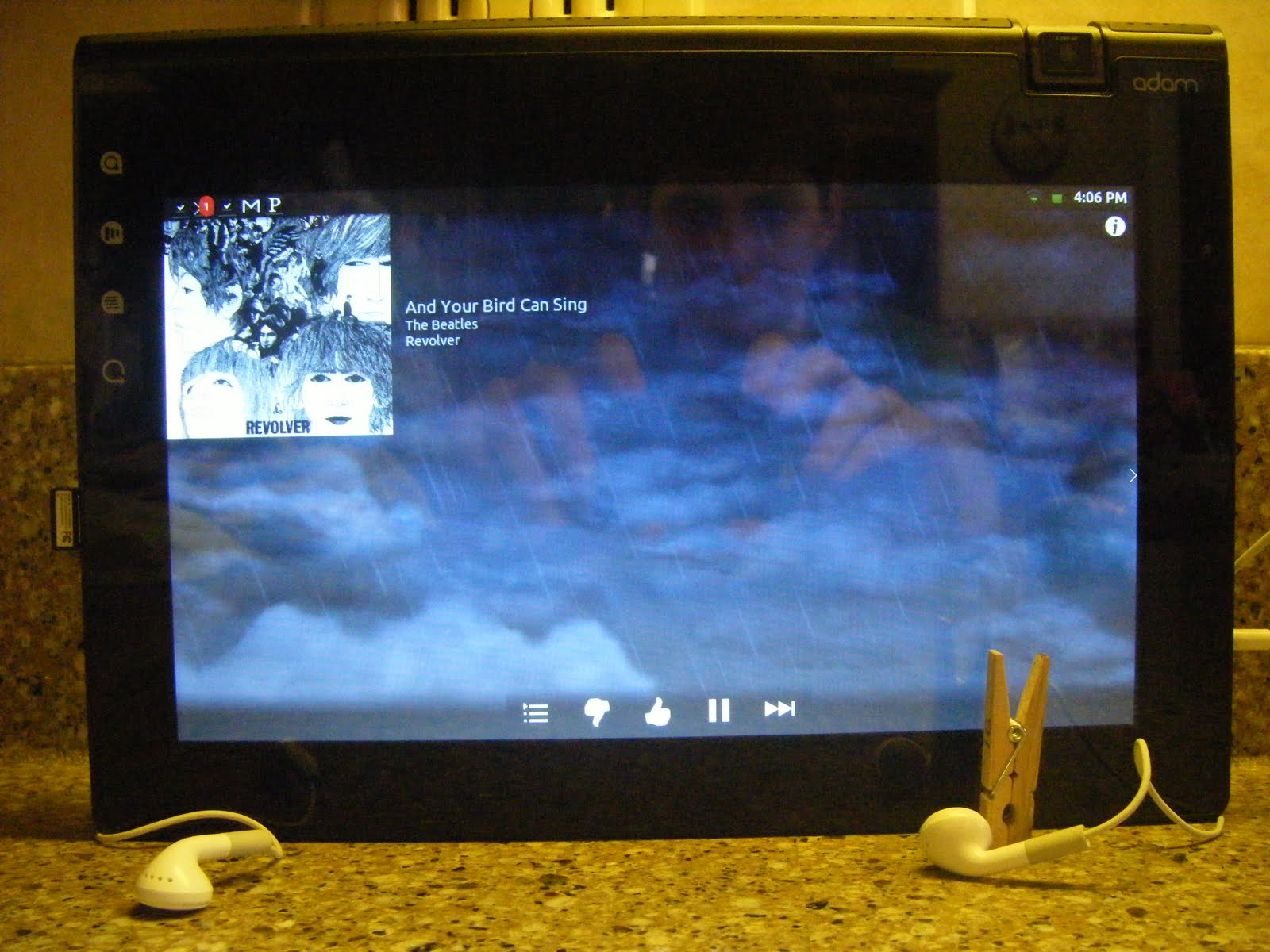
     Most people probably haven't noticed this and probably don't even care. The somewhat mediocre headphones that come bundled with iPhones, you know, the ones with the button for music controls? Well, they have a wierd side effect when paired with the Adam. The middle button has to be held down in order to hear music properly. Without the button being held, the music sounds garbled like a bad youtube video. This isn't a major issue by any stretch, but it is most likely hardware related. I don't know what causes the problem, but I do know a solution. A clothespin. Yes, a nice string clothespin to keep that button good and smashed.

Tuesday, April 12, 2011

VTL.Launcher Review - A Launcher For Tablets

     Most Adam owners like their home screen replacement apps. Whether it be Launcher Pro, ADW, or Helix, we all have our favorites. VTL.Launcher is different in that it is made for the big screen. Currently in beta, VTL is strongly based off of ADW source code, and is designed for main use in landscape mode. While it does have the ability to go into portrait mode, it doesn't do it very well. Full thoughts after the break.
 
The default configuration is having not one, but three docks all swallowing you into a window framed by apps. Also default is to have a shadowy black dock background. This configuration is not for the claustrophobic. Thankfully, you can change the docks around to suit you needs any way you prefer. I may never find a use for all of that dock space. 
A long press on an app brings up a little menu to remove, edit, get info, or show in Market. Unlike ADW there isn't an option to uninstall the app from this menu. Even though VTL is made for the large screen, the menu still fills the width of the screen just to give it an unfinished look. General scrolling speed throughout felt a little rough. It may be due to the beta tag, but it is fairly unpleasant considering the dual-core guts of the Adam. One downfall of VTL is the the poor transition it makes when in portrait mode. The widgets all look smashed. The dock on the bottom doesn't re-size, but rather the apps just get shoved off screen.  I would like to see some more customization options such as home screen transition effects. Overall the experience is great and very well suited for the Adam. The Adam was made for landscape, so why not have a home screen to match. 


The Wait For Honeycomb on Adam is Getting Ridiculous

     Full faith was resting on Notion Ink to give us an update to Honeycomb for our Adams. After the Adam was released many speculated that Honeycomb may never see the light of day from behind a Pixel Qi screen. Rohan has assured us multiple times that Notion Ink will do everything in their power to bring us the fabled Android for tablets. Now it looks as if the issue may be out of their hands.
     Google has decided to hold off on releasing the source code because it wasn't made for use on phones. This is old news, and can be fixed if Notion Ink becomes best friends with Google. There is a very slim chance of this happening, but one can hope. Now it appears that Nvidia won't be supporting the Adam's Harmony based internals for future updates. This is only rumor, but it is very worrisome. Will the Adam ever get Honeycomb? The world may never know for sure.

Monday, April 11, 2011

Top Three Web Browser For Your Notion Ink Adam

     The Eden Browser is one of the many sore points that hinders that overall experience. The zooming and scrolling are incredibly slow to use. There isn't an easy way to search. There are a lot of alternative browsers readily available on the Android Market, so what's the problem? They're all made for phones. Below I will give you a rundown of browsers that will suit your tablet browsing experience.
Stock Android Browser (on Beast ROM)
 1. Opera Mobile 11
      This gets the top of the list for the simple reason that it is designed for use on tablets. All the controls line the top  to make everything in easy access. Flash works great. Tab switching looks nice, but it's a little slower than having your tabs always visible at the top. The settings, bookmarks, etc. all appear in a window instead of time wasting full screen. You have the option to hide the status bar if your prefer, but on Eden, the status bar is always hidden. This seems to mess with Opera making a white space appear above where the status bar should be.


2. Dolphin Browser HD
     While it is still made for a phone, it has a set of features that make it awesome for use on tablets. The interface is fairly barren on visible controls. Without hitting the menu kay you only have home, URL bar, and tabs visible. The tabs are fantastic for the large screen. Instead of having always present navigation button like Opera, Dolphin Browser has them hidden under the menu button.

     The Dolphin Browser has one feature that makes it perfectly suited for tablet use. You can change the user agent to have webpages view your device differently. As you can see in the picture below, the internet views the Adam as an iPad to make the webpages perfect for the screen size. Gmail's specialized iPad view is unlocked. Also available are the option to change the user agent to iPhone or default Android. Coming soon is the Dolphin Browser Pad that should combine custom user agents with a tablet suited UI.

3. Skyfire
     The key selling point of Skyfire is the ability to convert flash videos to HTML5 for easy mobile view-ability. This feature is all together unnecessary since the Adam has flash. Converting to HTML5 may be beneficial if you want to conserve bandwidth (or so it tells me). The UI doen't look terrible on the big screen, but it doesn't look good either.

     A lot of the buttons that are always visible are rarely used. The fifth button on the top is a quick switch for toggling between mobile and desktop view. While not as full-featured as the Dolphin Browser user agent equivalent, it is handier. Tab switching is another story. Hitting the tab switcher toggle brings up the tabs that blocks out the entire screen. Otherwise, the browsing experience isn't all that bad.
Skyfire Tab Switching
4. Firefox
     Firefox deserves a mention because it is a very good browser... on phones. On a tablet screen it just doesn't work. It looks as good blown up as the stock android browser. One advantage you would have is the ability to sync bookmarks with the desktop version.

5. Wrap-up
     What it all boils down to is the wait for Honeycomb on the Adam. Until the Eden browser improves or Honeycomb becomes available we'll just have to suffer or find alternatives.

Wednesday, April 6, 2011

Notion Ink Adam ROM Review: The Beast (Update: Rant)

     Isn't it amazing how many ROM's are available for product that is seemingly unpopular? Could it be because the stock software is just that bad, or is it due to the lack of the Android Market? Maybe Adam owners are just born modders. Whatever the reason is, developers have created some brilliant ROM's to hold us over until Honeycomb gets released from Google's mighty grip. Is The Beast another shining star in the galaxy of ROM's, or is it another flop? So many questions. Find the answers after the break.

     The Beast is a vanilla Android ROM for the Adam based off of Utopia, but built for speed. While it is a Froyo build, many elements such as the keyboard and animations from Gingerbread can be found within. Many apps from Notion Ink are pre-installed as well, including the keyboard, Mail'd (removed in latest version of Beast), Sniffer, etc. Being vanilla Android, Eden is nowhere to be found, but who used it anyway? It comes pre-loaded with ADW and Launcher Pro, but the stock Android launcher is oddly missing.

     The Beast is one of the most stable ROM's I have tried on the Adam. On the forums they claim a Quadrant score of ~2900. I got a maximum score in the ballpark of 2400. That isn't to say it isn't fast. The speed improvement isn't extremely noticeable when compared to the stock. Josh4Trunks posted a handy guide for the various toggles available so you can do things like change the mapping of the physical button or swap the SD cards.

      Music was a bit of a pain. All of my music is on my SD card, otherwise known as SDcard2. In the stock ROM, the media finder app is written to detect media on the SDcard (internal memory) and the SDcard2 (actual SD card). One of the toggles provided is to swap the number on the SD cards so that your removable card becomes the default. It gets confusing in Sniffer when the tablet memory is actually your SD card.

     All and all it is a fantastic ROM. Until something amazing happens in Eden, this will be my ROM. If you are looking for a vanilla build of Android for your Adam look no further.

(Update) In the most recent update (2.1.4) the developer has decided to remove Mail'd in favor of the stock email app. Why? Mail'd, Sniffer, and Canvas are the best Notion Ink apps to have, and you removed one? Mail'd's replacement app isn't even tablet ready. It is a blown up phone app that has no business being on a tablet or replacing Mail'd. Thank you for your time.

Sunday, April 3, 2011

Notion Ink Adam ROM Review: VEGAn-Tab (Update)

     We have seen ROM's for the Gtab that are based on Eden, and now it's time to turn the tables. Yes, the VEGAn-Tab is a Gtablet based ROM for the Adam. It is a particularly wierd idea since the UI from Viewsonic isn't exactly something people look for in a tablet. If you are looking for something different, this is most likely the ROM for you. Full thoughts after the break.
     The UI enhancements of this ROM don't go very far beyond what vanilla android will bring you. A few elements,such as the status bar, are enlarged for better accuracy. In the status bar, you will find the three navigation buttons as if Viewsonic is trying to ape Honeycomb. The biggest UI enhancements to be found are the fantastic animations all around. They may be useless, but they make it look a lot better. For apps, it comes bundles with the NI apps you would expect except one. The NI keyboard is MIA here. In it's place, you have the Gingerbread keyboard and the Tap n' Tap Western keyboard to choose from. I almost prefer the Tap n' Tap keyboard over the NI keyboard for its split and thumb oriented layout.

     I will warn you that this is a beta build. I had quite a few instances of force close happening to me. A re-install of the particular usually resolves the issue at hand, but that gets old fast. A large problem I found, and the reason I'm not keeping this ROM, is a problem with the way it handles the SD card. Sniffer acts like the card isn't even there have of the time. The standard music app and tunewiki refuse to find any music most liely because they aren't seeing the card. I need my music. With this ROM the sleep/wake bug reappears.

    If you don't want Eden, but you want something a little better looking than vanilla froyo/gingerbread, this is the ROM for you. If you are looking for a speed demon, look elsewhere. The speed is equivalent to that of Edenx with a Quadrant score of ~1900. I will recommend that you wait until it comes out of beta. I'll give it a 3/5 rating, but your tastes will vary.

(Update) It has been called to my attention that this ROM is based off of the Advent Vega, not the Viewsonic G-Tablet. Please ignore all references to the G-Tablet above.

Saturday, March 26, 2011

Opera Mobile 11 on Notion Ink Adam (Video)

    The Eden browser left much to be desired, but until now there haven't been any alternatives that were suited to the tablet. Opera does that and much more. Actions are all fast, and menus appear in a window instead of the full page. Also included as a bonus is the Honeycomb boot animation. Have a look for yourself.

No Honeycomb Source Code! What It Means to an Adam Owner.

     Google is getting a little more strict on their open sourcing as of recent. They will be holding off on the release of the Honeycomb source until further refinements are made. The refinements in question are to make Honeycomb more phone friendly to developers and hackers. The pot isn't all sour as large manufacturers will  get access to the code.
     Now the big question here is will Notion Ink qualify as a "large" company in order to receive the rights to the hive. Probably not, but we can hope. The update will probably take a lot longer than many had hoped. What we know for sure is that the small developers that give us ROMs won't be able to so for a while. This is really a bad ordeal for Adam owners.